

Links for payment in table, in the catalog you will see the price in the album
Sometimes there are price cuts and sales in the store, so read the description carefully, there may be a reduced price.
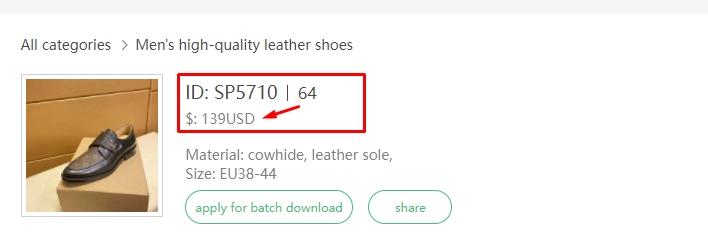
Also in this store, pay attention to ID
From the table you need to find a link with your price, for example 139$
Then you click by link and write to the seller in a personal message – “Lola+id+size (If these are clothes or shoes, most often the sizes are needed there.)
If you buy glasses or a bag you need to write – ‘Lola”+id+ or Lola+id+product number in message to seller
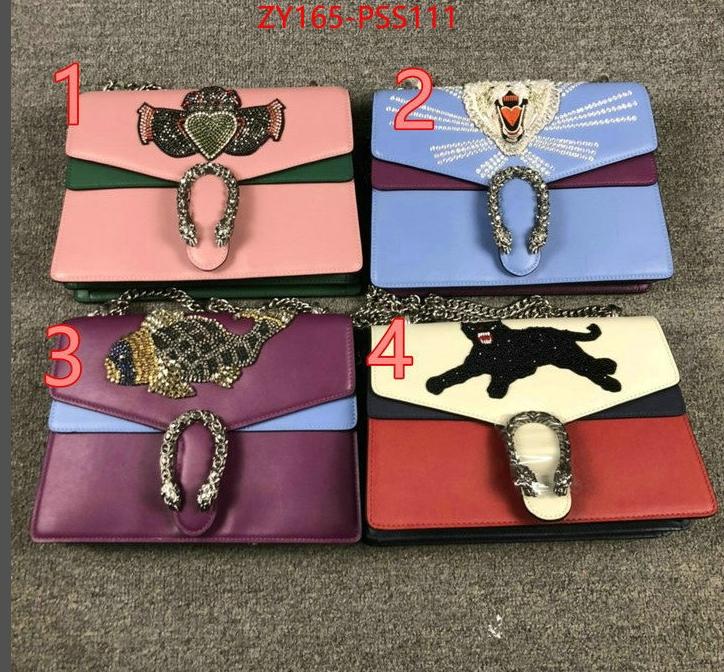

If the product has several models, they are divided by numbers or letters, you will see this in the pictures.
So you need to write – ‘Lola”+id+number+size( if these are clothes or shoes or other goods where there is a size) in message to seller
The code is usually shown in the picture
When write message?
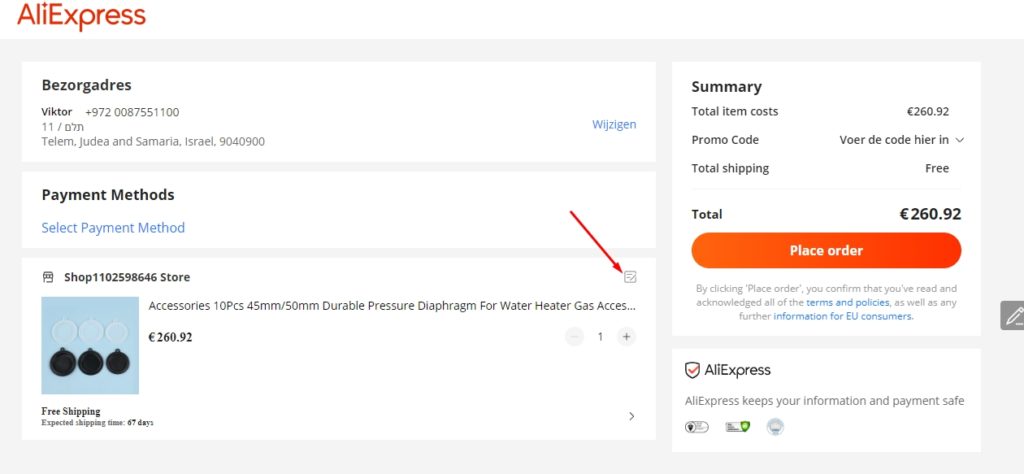
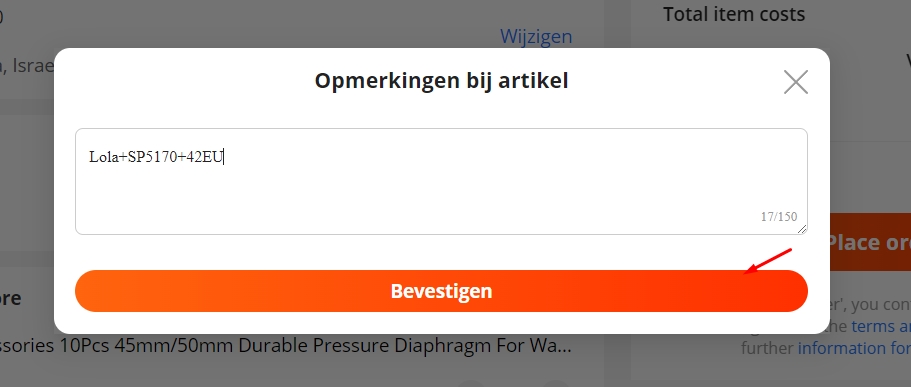
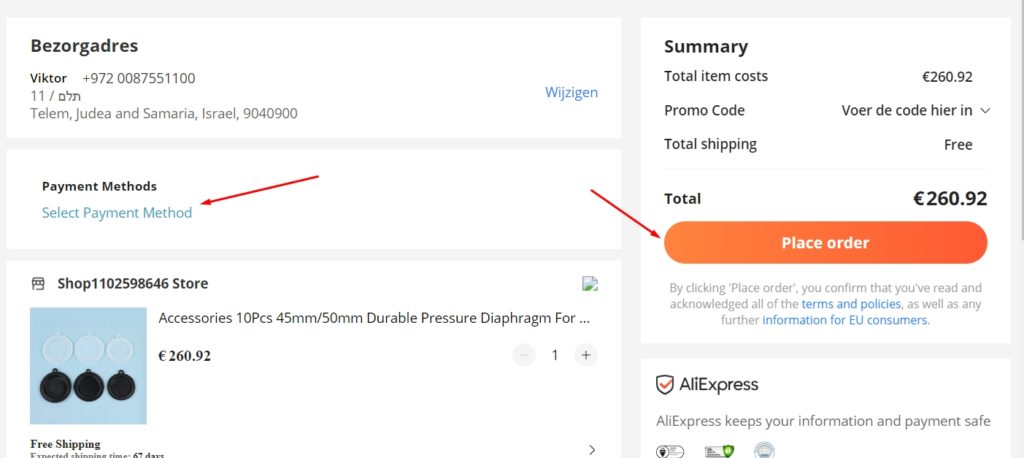
After messages, check payment system and place order.
Perfect. You make order
Table with lynks